How to Convert Megabytes to Kilobytes
To convert from megabytes to kilobytes, multiply the value by 1000. The conversion is linear, meaning doubling the input doubles the output.
Conversion Formula
- Megabytes to Kilobytes:
KB = MB × 1000 - Kilobytes to Megabytes:
MB = KB ÷ 1000
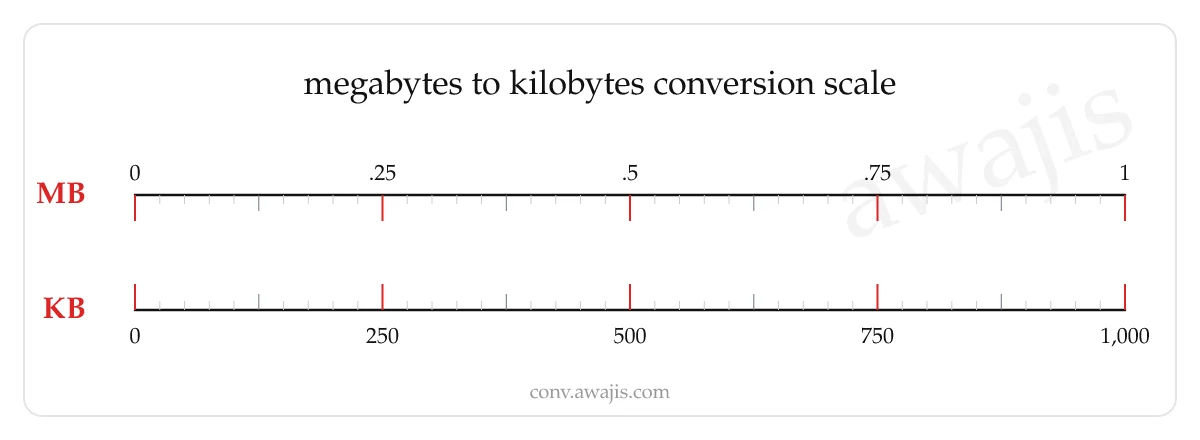
Megabytes to Kilobytes Conversion Chart
| Megabytes (MB) | Kilobytes (KB) |
|---|---|
| 0.1 | 100 |
| 0.25 | 250 |
| 0.5 | 500 |
| 1 | 1000 |
| 2 | 2000 |
| 3 | 3000 |
| 5 | 5000 |
| 10 | 10000 |
| 20 | 20000 |
| 25 | 25000 |
| 50 | 50000 |
| 100 | 100000 |
| 250 | 250000 |
| 1000 | 1000000 |
Understanding the Units
What is a Megabyte?
A megabyte equals one million bytes (10⁶) in modern SI usage; storage marketing has used this convention since around 2000.
Common contexts: file sizes, photos, documents.
What is a Kilobyte?
A kilobyte equals 1,000 bytes (decimal, SI) or 1,024 bytes (binary, legacy). The unambiguous binary unit is the kibibyte (KiB).
Common contexts: file sizes.
Common Conversions
Megabytes converted to kilobytes. There are 1,000 kilobytes in one megabyte using the decimal standard.
| Megabytes | Kilobytes |
|---|---|
| 0.5 | 500 |
| 1 | 1,000 |
| 2 | 2,000 |
| 2.5 | 2,500 |
| 3 | 3,000 |
| 4 | 4,000 |
| 5 | 5,000 |
| 7.5 | 7,500 |
| 10 | 10,000 |
| 15 | 15,000 |
| 25 | 25,000 |
| 50 | 50,000 |
| 100 | 100,000 |
| 250 | 250,000 |
File Sizes in MB and KB
Everyday files span both units — small assets are usually quoted in kilobytes, larger ones in megabytes. These examples show the same file both ways.
| File | Megabytes | Kilobytes |
|---|---|---|
| Plain-text email | 0.02 MB | 20 KB |
| Web page HTML | 0.1 MB | 100 KB |
| Logo or icon (PNG) | 0.25 MB | 250 KB |
| Compressed web photo | 0.5 MB | 500 KB |
| 10-page PDF document | 2 MB | 2,000 KB |
| Smartphone JPEG photo | 3.5 MB | 3,500 KB |
| MP3 song (3–4 minutes) | 4 MB | 4,000 KB |
| 30-second HD video clip | 60 MB | 60,000 KB |
Decimal vs Binary Kilobytes
This converter multiplies by 1,000 because the megabyte and kilobyte are decimal (SI) units: 1 MB = 1,000 KB. That is the convention used by storage manufacturers, network speeds, and most published file sizes. Historically, computer memory used powers of two, so "kilobyte" sometimes meant 1,024 bytes. To end the confusion, the binary units were given their own names — kibibyte (KiB) and mebibyte (MiB) — where 1 MiB = 1,024 KiB. When a file manager shows a slightly smaller number than the label on a drive, it is usually displaying binary units while calling them "KB" or "MB."
Related storage tools: gigabytes to megabytes, kilobytes to megabytes, megabytes to gigabytes, and bytes to kilobytes.